
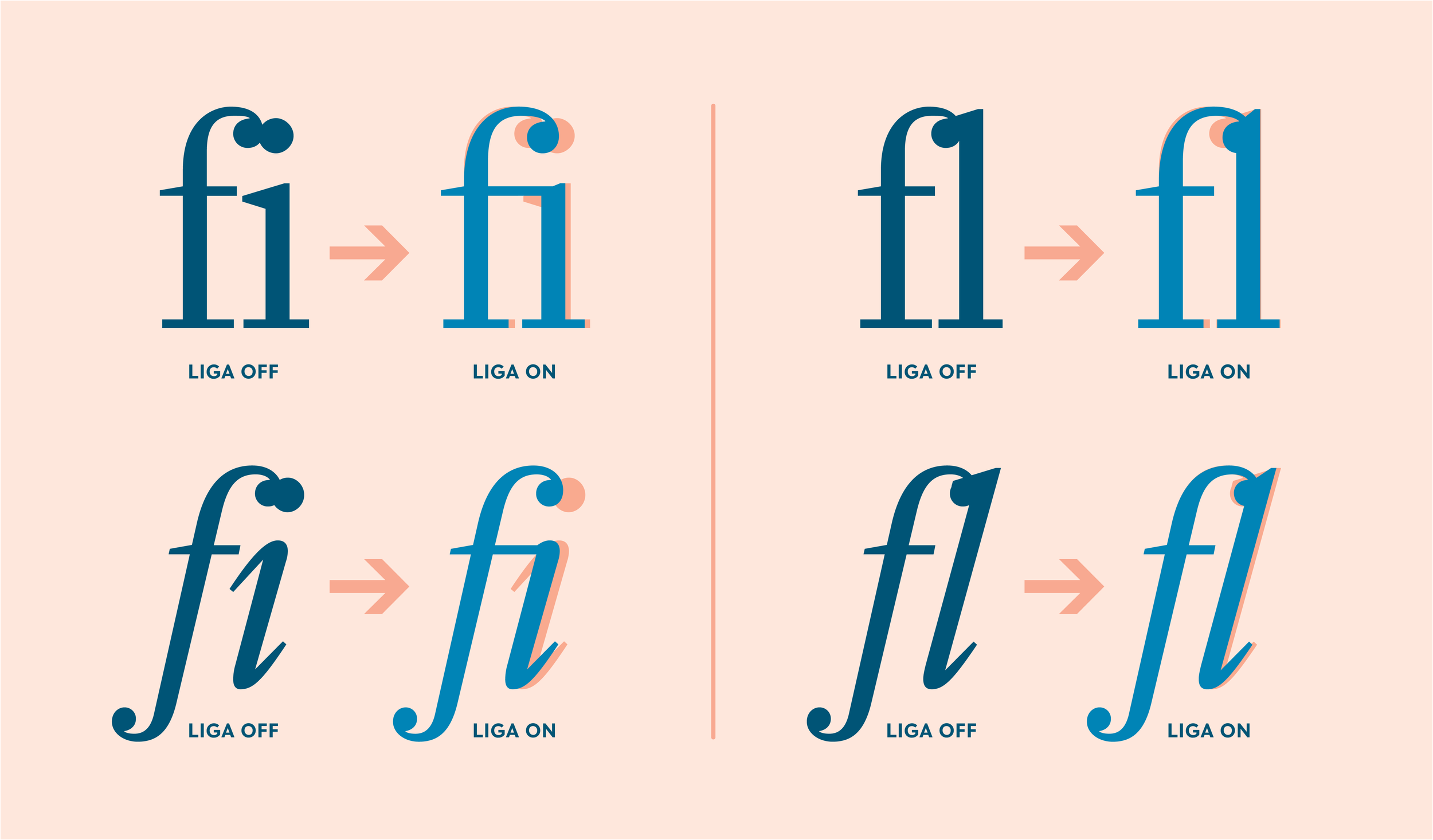
Ligatures
As part of the typography Masterclass articles (part one and part two), I mentioned ligatures.
This article explains what they are and how to use them.
Ligatures should only be used in headlines and on standfirsts at a push. A standfirst is an introduction paragraph, often used in annual reports and magazine articles. It is set bigger than the body copy and smaller than the headline.
Ligatures are ‘special characters’; not all fonts have them and they are always easily accessible.
What purpose does a ligature serve?
Ligatures ‘fix’ the ugly spacing in some character combinations. For instance, ‘ff’, ‘ffl’ or if your font really rocks, ‘st’.
What a ligature does is replace the character combinations with a single character designed to make an elegant combination by joining the letters. They improve legibility and create an elegant piece of typography.
As I have said, not all fonts have ligatures as part of their character set. Some even require you to load an ‘expert set’. This expert set that accompanies the font contains (sometimes) all sorts of goodies like non-aligning numbers*. In my experience, serif fonts offer the most options, but a good sans-serif font will usually have a ligature in there.
Below are some examples of using a ligature to resolve ugly character combinations that can’t be resolved using kerning (see our Typography Masterclass articles one & two) with the same elegance as a ligature.
As I have said, not all fonts have ligatures; all the really good ones do. To set them, you may need to use a keyboard command or a glyph.
*Non-aligned numbers are designed to aid legibility when using numbers that are set within text. A non-aligning number character set is a rare beast; very few fonts have them in their expert sets.
Essentially, the non-aligning number character set uses the x-height rather than the baseline to set numerical characters. For instance, the ‘tail’ of a 9 falls below the x-height as a descender does.
Header image: Typenetwork.com